


WhatsApp booking system for your homestay
Most homestay enquiries arrive on WhatsApp — and die there. Here’s how to turn every “is this available?” into a confirmed, paid booking without losing the personal touch.
WhatsApp is already where your guests are. In India, it’s not a “channel” you add — it’s the channel guests default to. They find your number on Instagram, Google, a friend’s forwarded message, and they send the same opening line: “Hi, is [date] available?” What happens next decides whether that enquiry becomes a booking or a ghost.
For most homestay hosts, what happens next is a slow back-and-forth: check the calendar, reply with availability, quote a rate, wait for the guest to confirm, send bank details, wait for the transfer, confirm receipt, then block the date. The whole cycle can take hours — sometimes days. And at every pause, the guest is one tap away from booking an OTA instead, where confirmation takes two taps and no waiting.
This guide is about building a system around WhatsApp that keeps the personal touch — the thing guests love about booking a homestay directly — while eliminating the friction that loses them. Not a chatbot. Not a call centre. Just a smarter flow from “is this available?” to “booking confirmed.”
Where enquiries die
Before building the system, it helps to understand exactly where the current process breaks. There are three common failure points, and almost every lost WhatsApp booking falls into one of them:
1. The delayed first reply
A guest messages at 11 PM asking about next weekend. You’re asleep. By the time you reply at 8 AM, they’ve already booked on Airbnb — where they got an instant confirmation at midnight. The OTA didn’t sleep. Your WhatsApp did.
Research on chat-based enquiries consistently shows that response time is the single biggest predictor of conversion. A reply within 5 minutes converts dramatically better than a reply within 5 hours. You can’t stay awake 24 hours — but you can set up a system that replies for you.
2. The payment gap
The guest confirms they want the dates. You send your bank details. Now they have to open their banking app, type in your account number, send the transfer, screenshot the receipt, send it to you, and wait for you to confirm. That’s six steps where the booking can stall — and where the OTA offers one.
Every manual payment step is a moment where the guest thinks “I’ll do it later” and then doesn’t. Or where a friend says “just book on Airbnb, it’s easier.” The payment gap is where the most confirmed-intent bookings die.
3. The calendar collision
Two guests message about the same weekend. You confirm availability to both. One pays first. Now you have to tell the other guest the dates are taken — after you already said yes. It feels unprofessional, it burns trust, and it wastes everyone’s time. Without a real-time calendar backing your WhatsApp, this happens more often than any host wants to admit.
The system: enquiry → confirmation
The fix isn’t replacing WhatsApp with something else — guests love it, and you should keep using it. The fix is pairing WhatsApp with a booking website that handles the three things WhatsApp can’t: instant availability, instant payment, and instant calendar blocking.
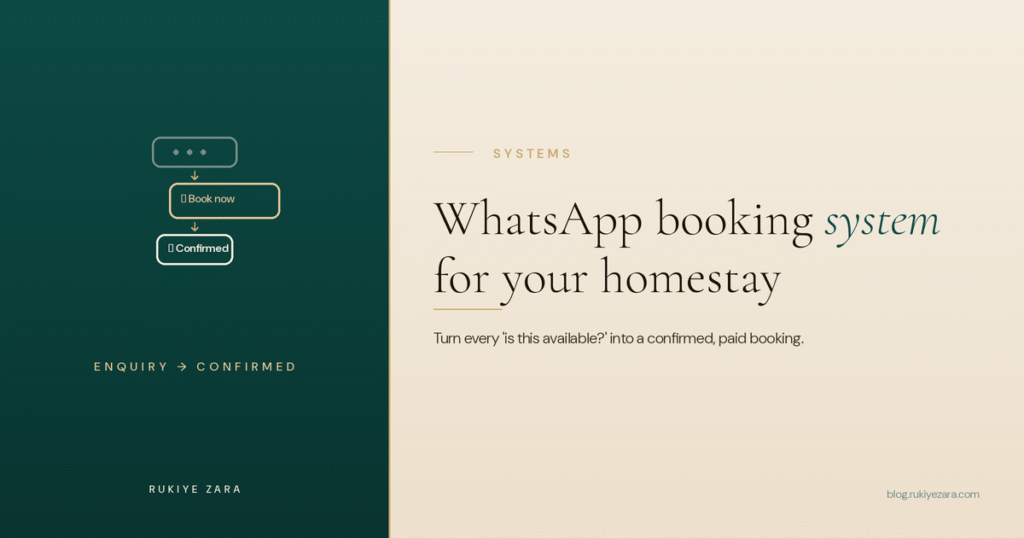
Here’s the flow:
The guest still starts on WhatsApp — that personal, familiar channel. But instead of a multi-hour back-and-forth, they get a link within seconds that lets them check availability and pay, the same way they would on an OTA. The difference: zero commission.
Setting up the auto-greeting
WhatsApp Business (the free app, not the paid API) lets you set an automated greeting message that fires whenever someone messages you for the first time, or after 14 days of inactivity. This is your first-reply problem, solved.
To check live availability and book instantly, tap here:
[your direct booking link]
If you have a specific question, I’ll reply personally as soon as I can — usually within an hour during the day.
This message does everything right: it responds instantly (even at 2 AM), it gives the guest a self-serve path to book immediately, and it promises a personal follow-up for anything the link doesn’t cover. The guest who wants speed gets speed. The guest who wants a conversation gets one — just not at 2 AM.
Setting up quick replies
WhatsApp Business also lets you save quick replies — templated messages you can send with a shortcut. Set up quick replies for the questions you answer ten times a week:
- /rates — your current rates by room type and season, with the booking link.
- /directions — how to reach you from the nearest railway station, bus stand, and airport.
- /meals — what meals you offer, timing, and any dietary flexibility.
- /checkin — check-in/check-out times and early/late options.
- /book — just the booking link with a one-line prompt: “Tap to check dates and book instantly.”
You type “/rates” and the full message sends in one tap. The guest gets a professional, complete answer in seconds. You save 5 minutes per enquiry — and across 10 enquiries a day in peak season, that’s an hour back.
Labels for pipeline tracking
WhatsApp Business lets you label conversations. Set up a simple pipeline:
- 🟡 Enquiry — they’ve asked, haven’t booked yet.
- 🟢 Booked — paid and confirmed.
- 🔵 Checked out — stayed, post-checkout message sent.
- 🔴 Lost — enquired but booked elsewhere or went silent.
Every Sunday evening, scan your 🟡 labels. Anyone who enquired this week but didn’t book gets a gentle nudge: “Hi [name], just checking — those dates for [weekend] are still open if you’d like to lock them in. Here’s the link: [link].” This alone recovers 10–15% of stalled enquiries.
Every WhatsApp flow ends at the same place: your booking site.
The greeting, the quick replies, the nudge — they all send the guest to a page where they check dates and pay. Without that page, you’re back to manual quoting and bank transfers.
Launch your booking site free →The post-checkout message: turning one stay into a lifetime
This is the most underused message in a homestay host’s toolkit, and it’s covered in depth in the direct bookings playbook — but it deserves repeating here because WhatsApp is where it lives.
Within 24 hours of checkout, send a short personal message. Not a template — something that references their stay:
If you ever want to come back, here’s my direct booking link: [link]. No OTA, same property, and returning guests get early check-in. 🙏
And if you have a minute, a Google review would mean a lot: [Google review link]
This single message does three jobs: it closes the emotional loop (the guest feels remembered), it plants the direct booking link in their WhatsApp history (where they’ll scroll back to it months later), and it asks for the Google review that strengthens your profile. Three outcomes, one message, zero cost.
The compounding effect: when that guest’s friend asks “where should I stay in [your town]?”, the guest doesn’t just say your name — they forward the WhatsApp message. The friend gets the booking link, your photos, and a personal recommendation in one swipe. You’ve just acquired a new guest with no commission and no ad spend, through a channel no OTA can replicate.
What you don’t need
A lot of “WhatsApp booking system” advice online pushes expensive tools. Here’s what a small homestay can skip:
- WhatsApp Business API / chatbot platforms. These cost money, require technical setup, and are built for companies handling thousands of conversations a day. A homestay handling 5–20 enquiries a day does fine with the free WhatsApp Business app + a booking website.
- Bulk broadcast tools. Spamming past guests with promotional broadcasts gets you reported and blocked. The post-checkout message is personal and one-to-one — that’s what works.
- CRM software. WhatsApp Business labels are your CRM for now. When you’re running multiple properties and 50+ enquiries a day, revisit this. Until then, labels + a booking site is the whole system.
The complete WhatsApp setup checklist
- Switch to WhatsApp Business (free) — keeps your number, adds business features.
- Set your business profile — property name, address, category (“Homestay”), description, and your booking link as the website.
- Set the greeting message with your booking link (fires on first contact and after 14 days).
- Set an away message for outside your response hours, with the same booking link.
- Create 5–6 quick replies for rates, directions, meals, check-in times, and the booking link.
- Set up labels — Enquiry, Booked, Checked Out, Lost.
- Make your booking website the destination for every link you share — live availability, instant payment, automatic confirmation.
- Draft your post-checkout message template — personalise it each time, but have the structure ready.
- Sunday scan — nudge stalled 🟡 enquiries once a week.
I used to lose half my WhatsApp enquiries to slow replies and clunky payment. The fix wasn’t a chatbot — it was a greeting message with a real booking link and a site where guests could pay in one tap. Same personal touch, half the friction.Safiya — Founder, Rukiye Zara
Questions hosts ask first
Can I take bookings entirely on WhatsApp?
Do I need WhatsApp Business or the regular app?
How do I stop losing enquiries that come in at night?
Should I send my bank details for payment on WhatsApp?
How many enquiries should I expect to convert?
Can I use WhatsApp to get repeat bookings?
Launch the booking site behind your WhatsApp.
Live availability, instant UPI payments, automatic confirmation — the page your greeting message sends guests to.